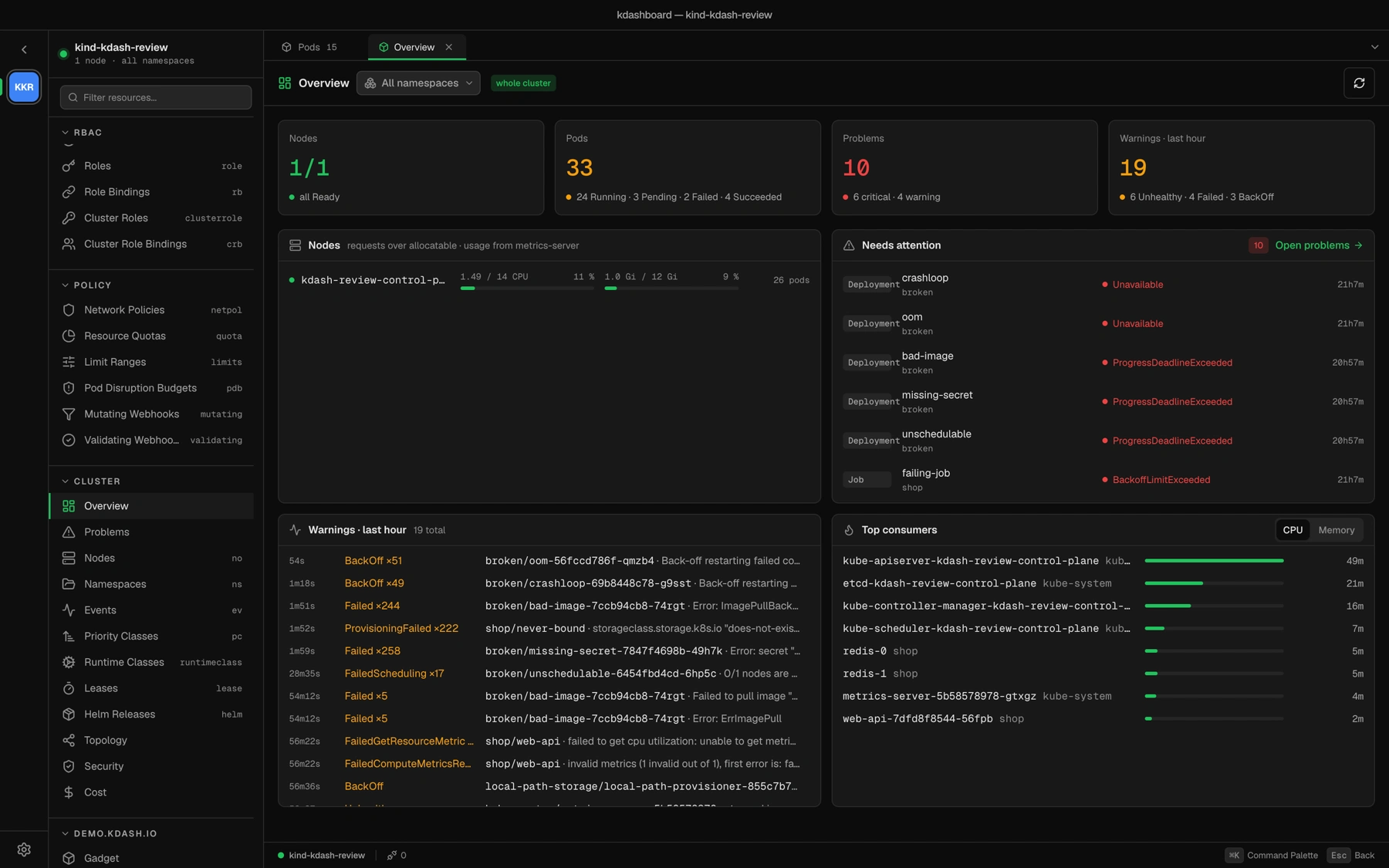
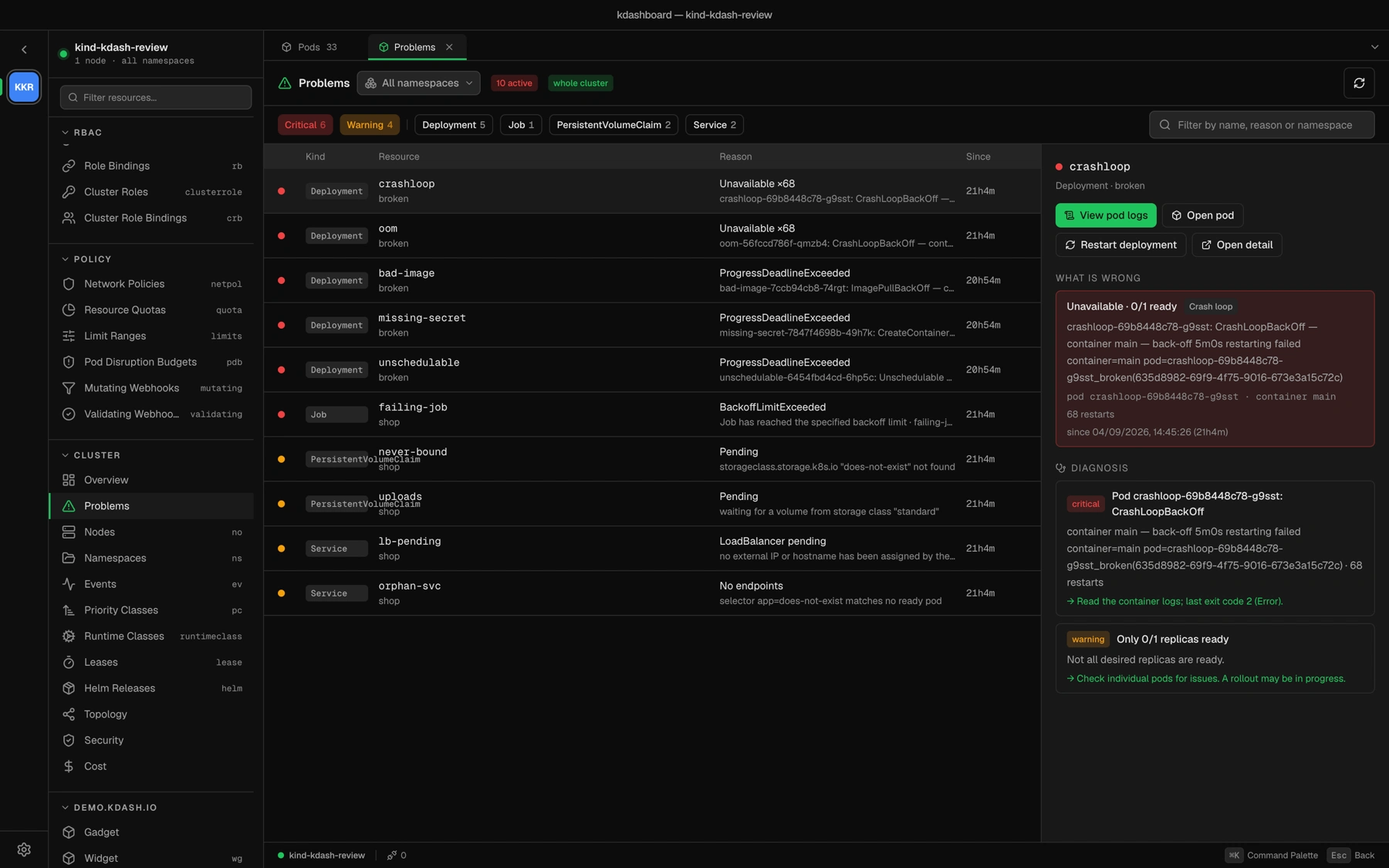
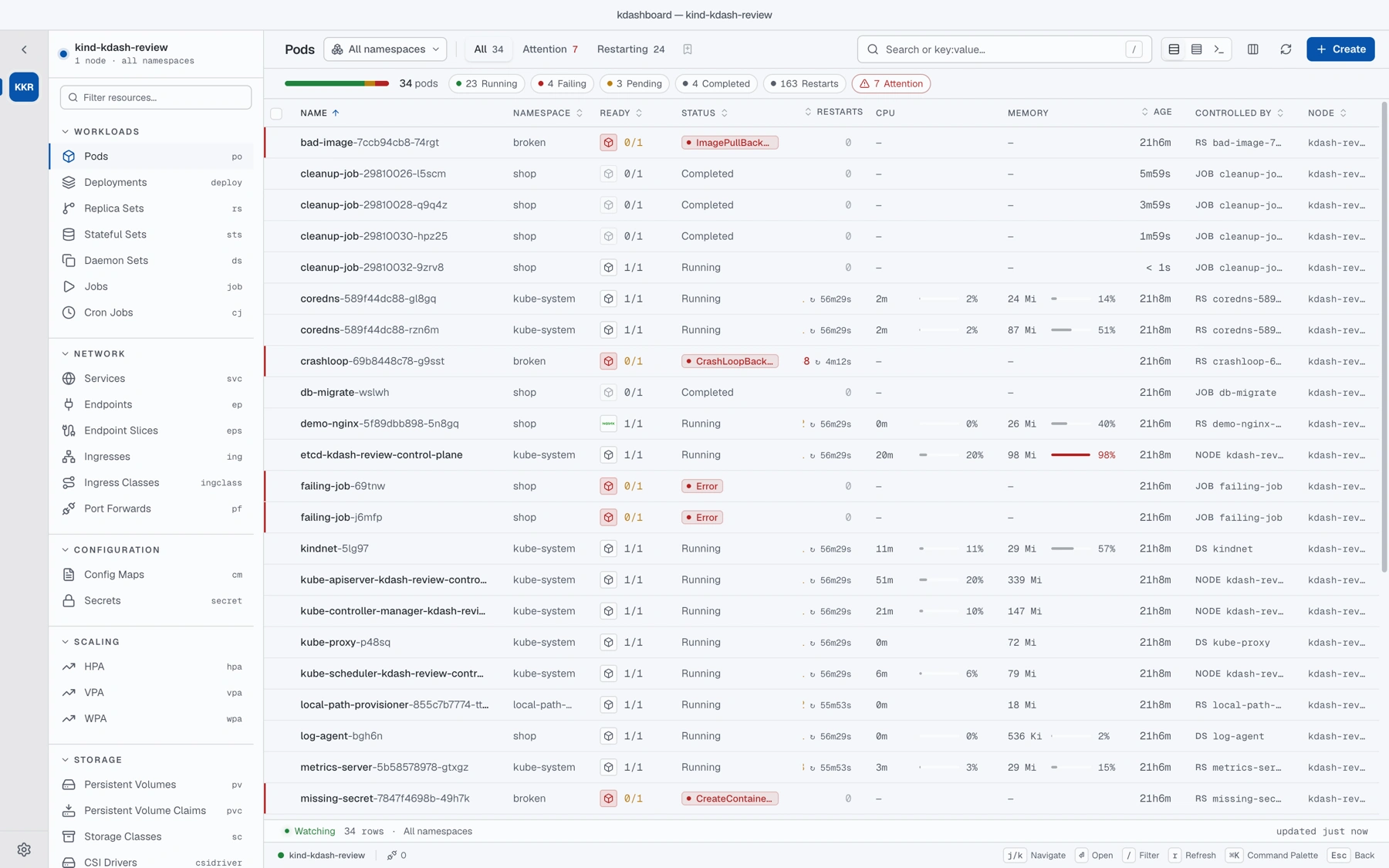
Every shot is the app running against a kind cluster seeded with deliberately broken workloads: a crash loop, an image that cannot be pulled, a secret that does not exist, an unschedulable pod and a volume nobody provisions.
Enlarge
Overview · node capacity, needs-attention, warnings from the last hour, top consumers
Enlarge
Problems · a CrashLoopBackOff explained, with the next step and a link to its logs
Debug
Debug without leaving the window.
Enlarge
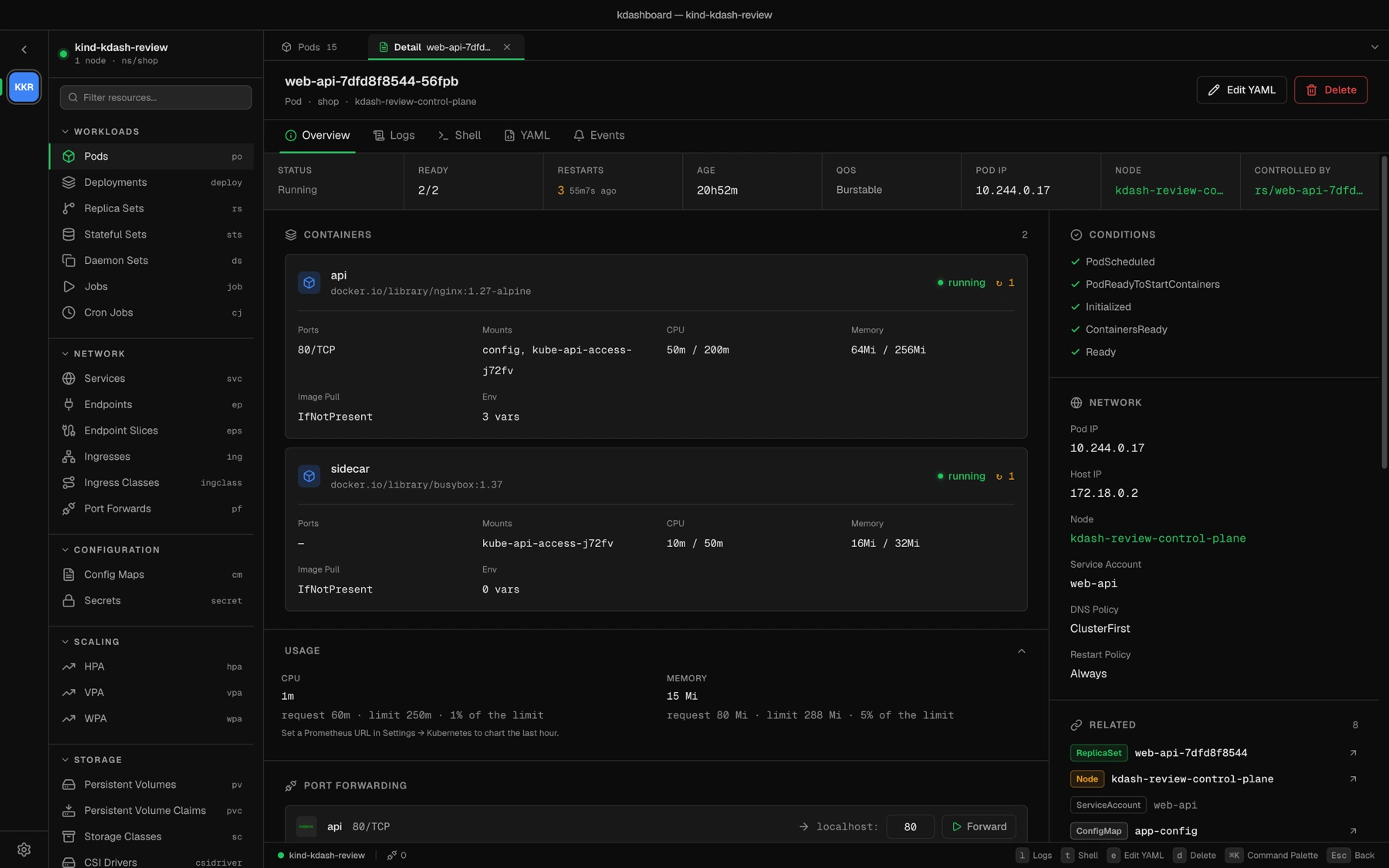
Pod detail · containers, usage against limits, conditions, network, related objects, port-forwarding
Enlarge
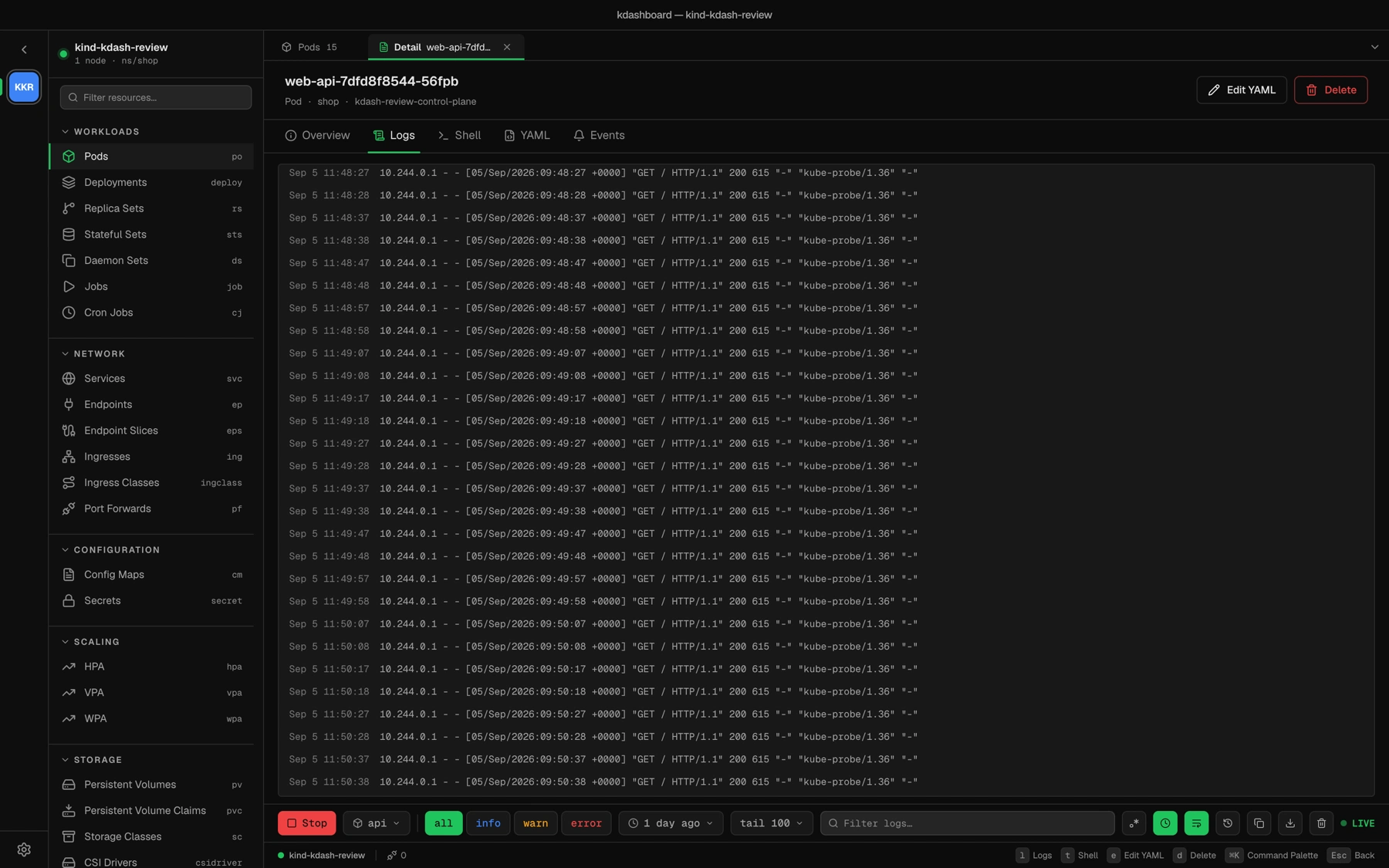
Logs · all containers, level chips, time window, regex filter, JSON pretty-printed on click
Enlarge
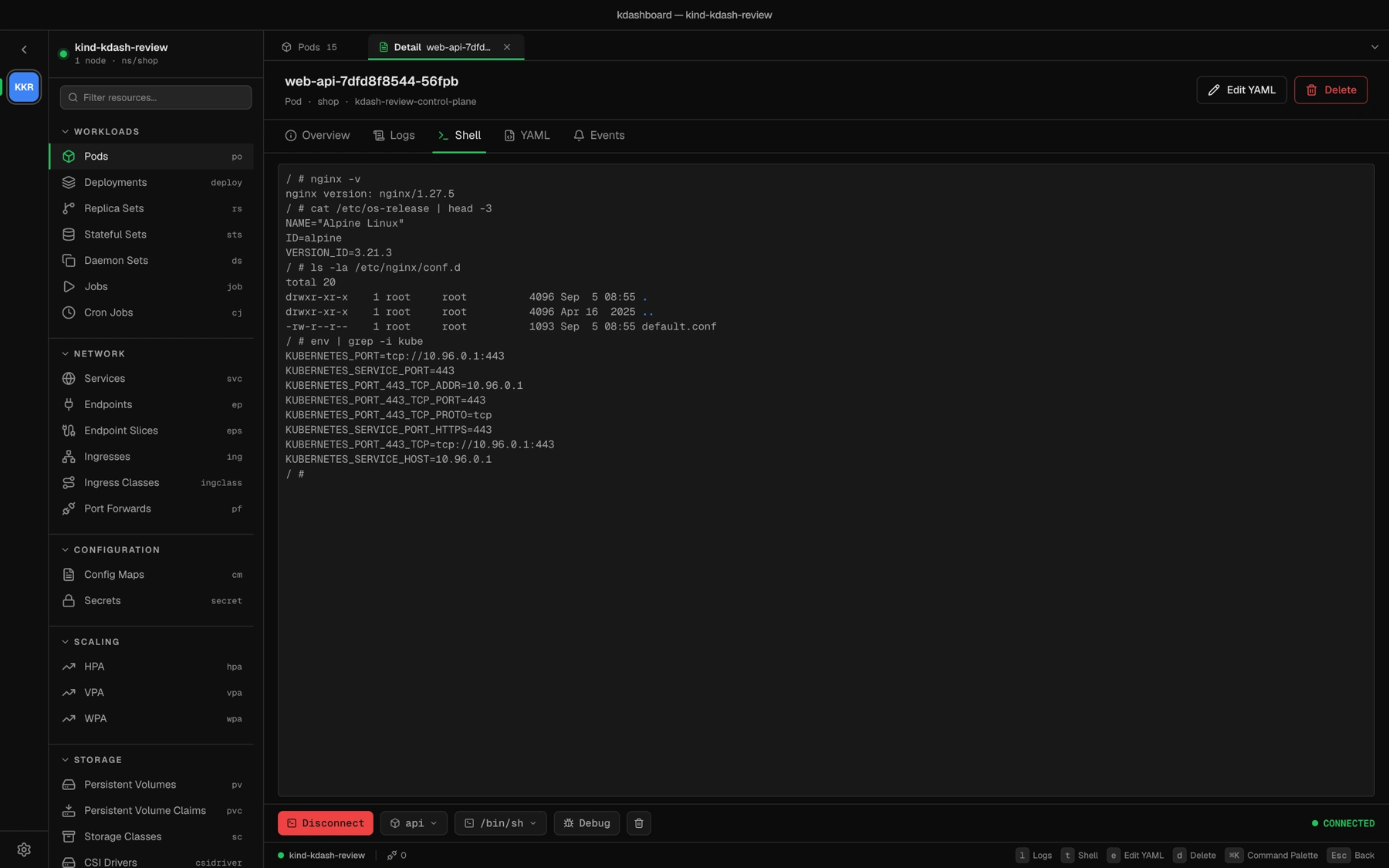
Shell · a real terminal in any container, or on a node
Enlarge
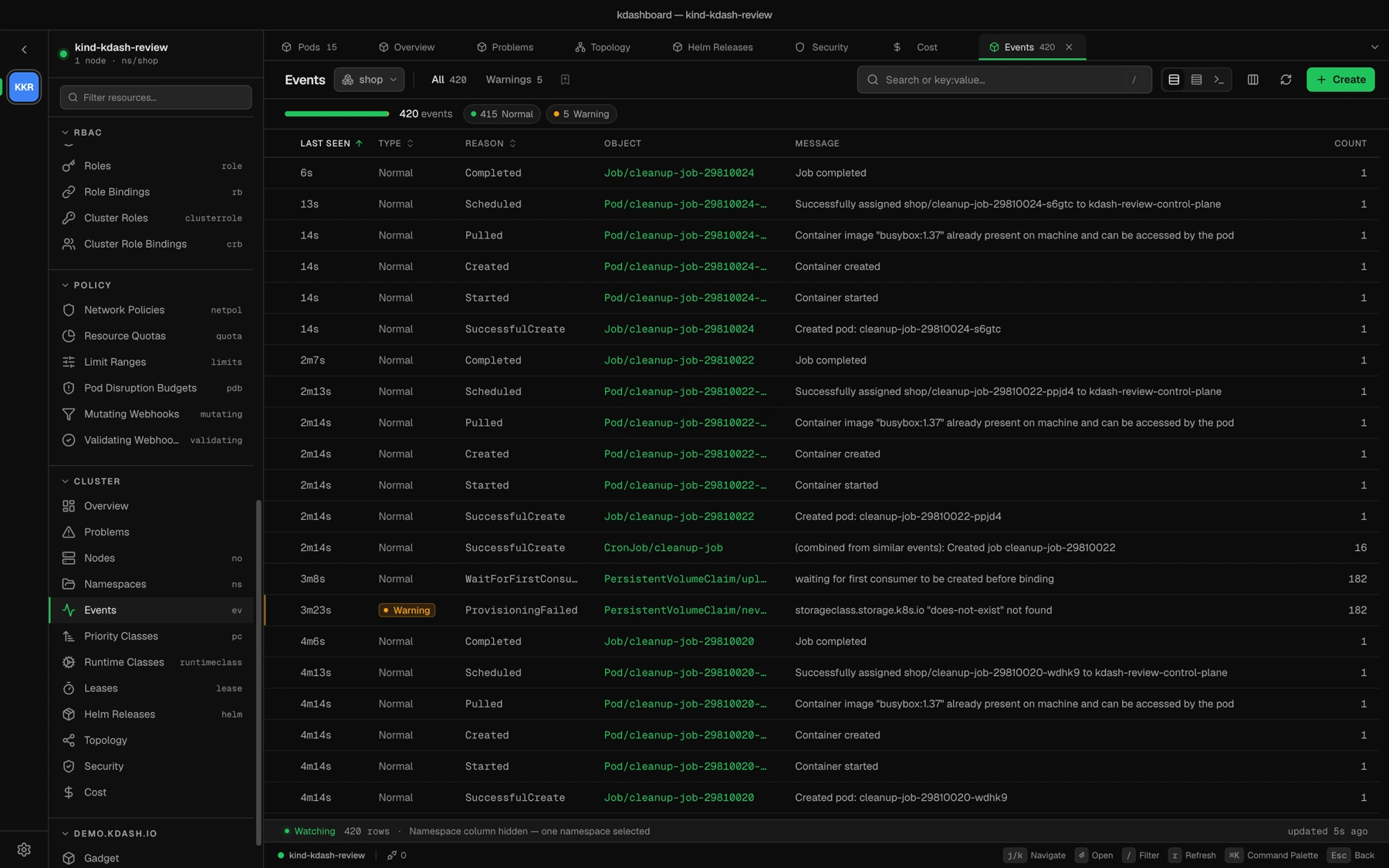
Events · kubectl-style live feed
Enlarge
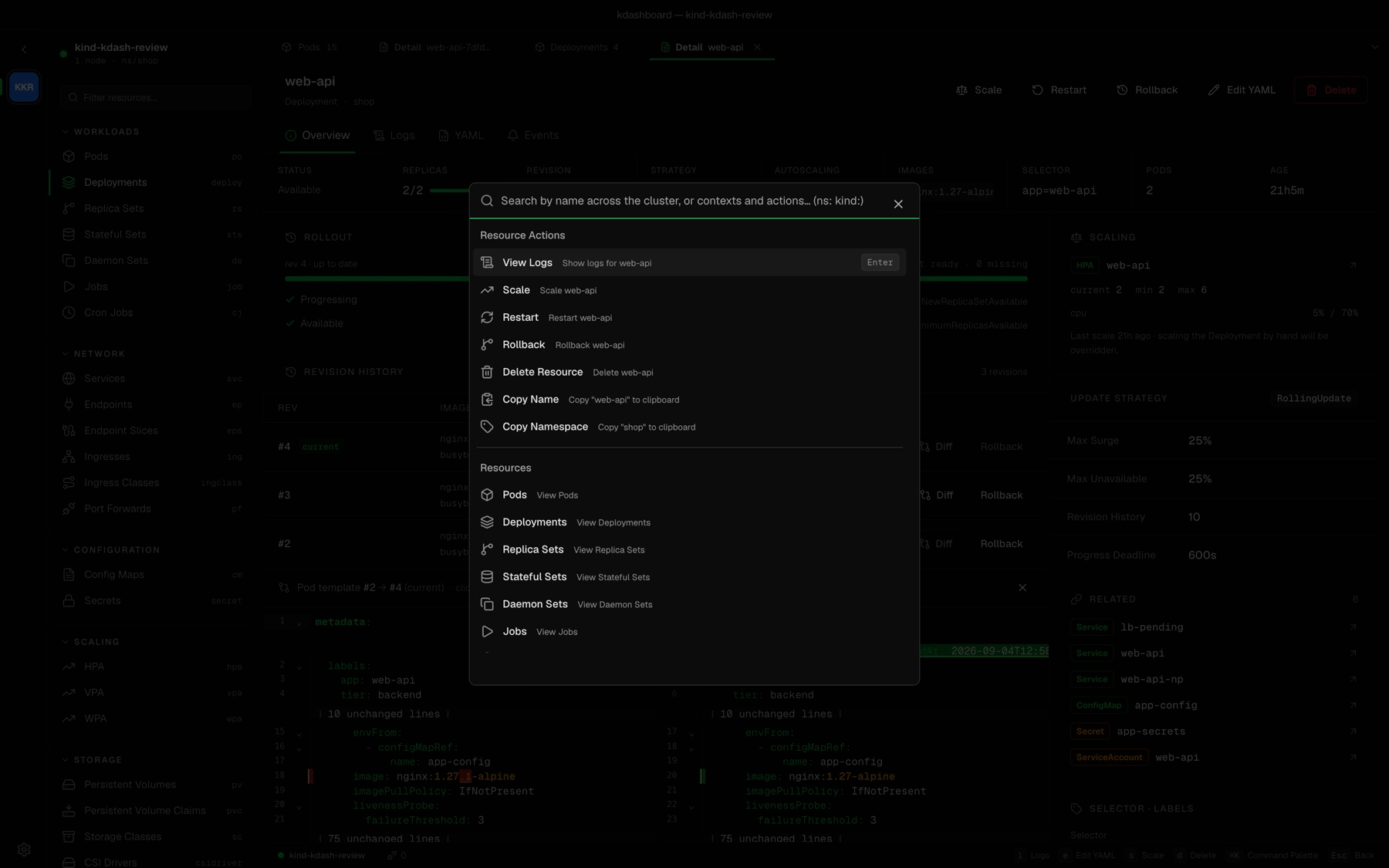
Palette · ⌘K searches the whole cluster
Change
Change things safely.
Enlarge
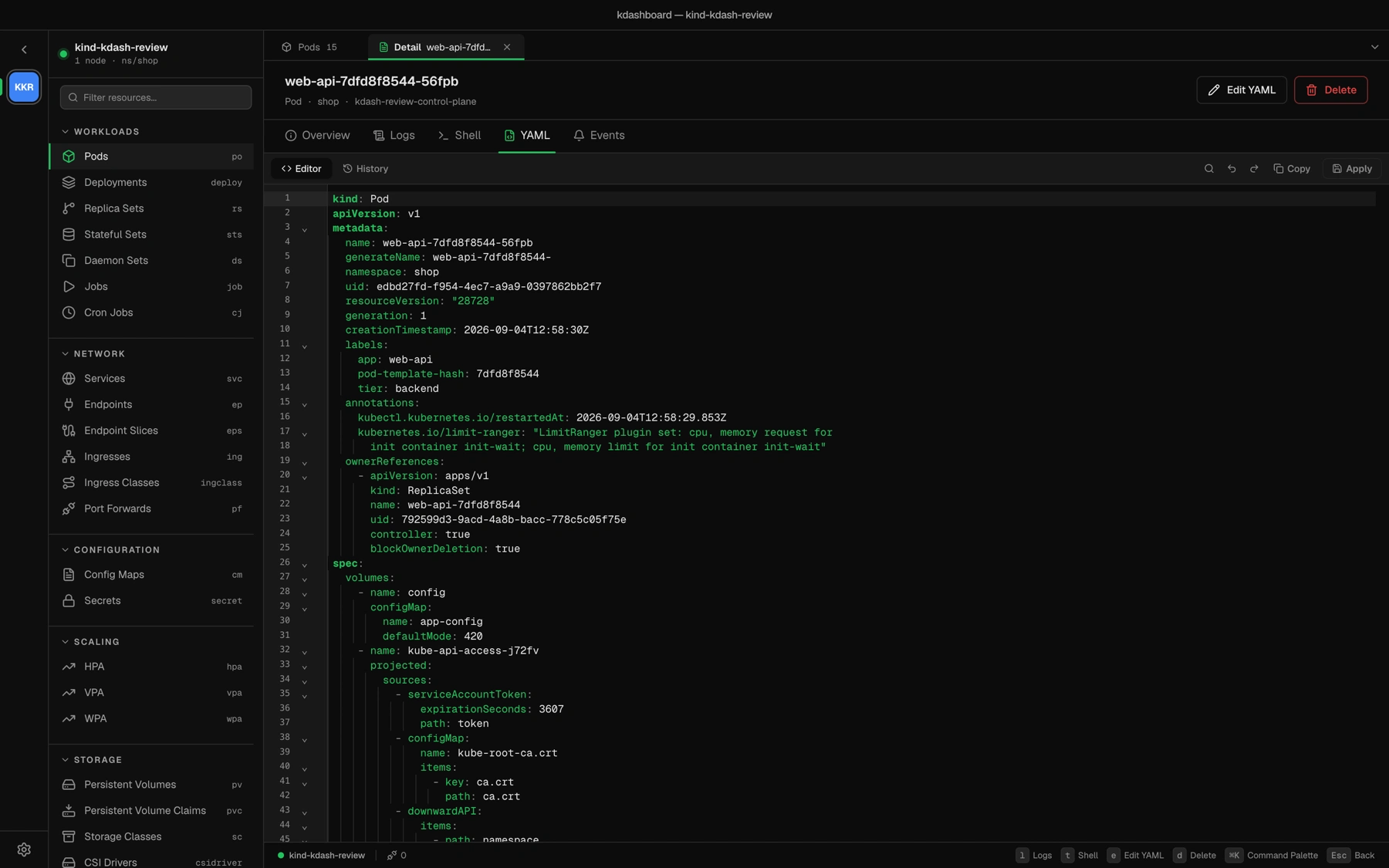
YAML editor · schema linting, folding, search, local history with diff
Enlarge
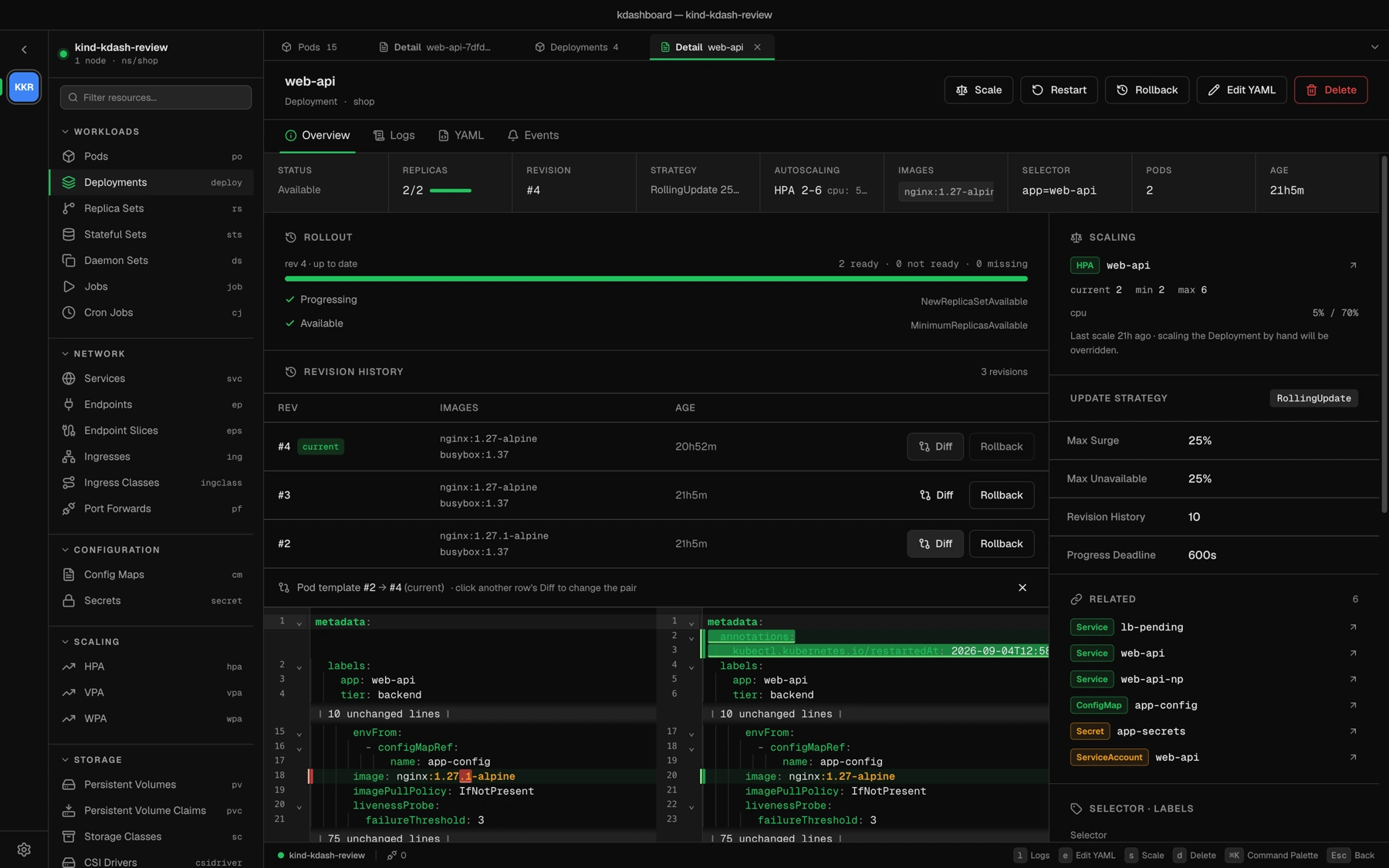
Revision history · pick two revisions, see the pod-template diff, roll back
Understand
See how it fits together, and who can do what.
Enlarge
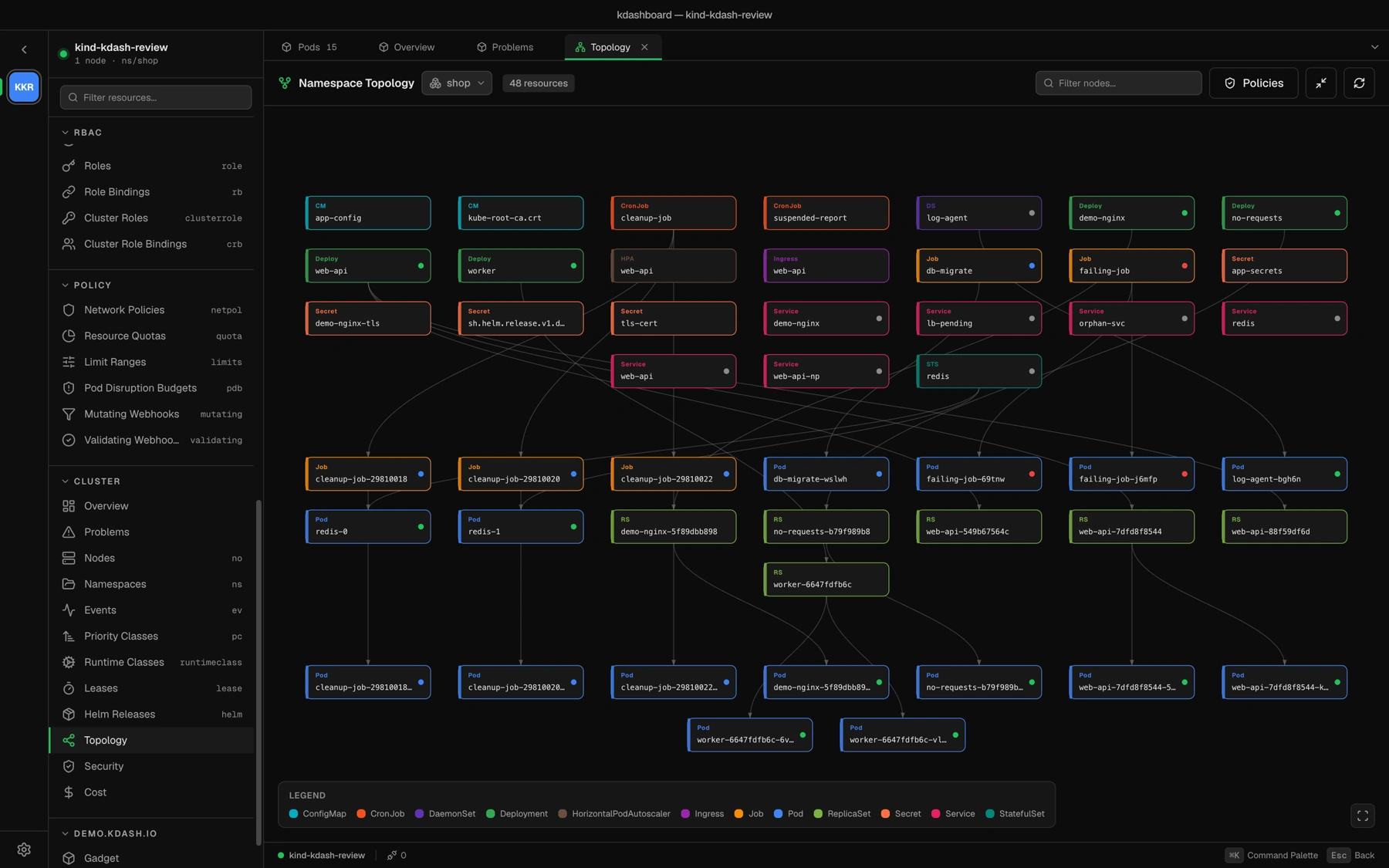
Topology · workloads, services and config, with the NetworkPolicy overlay
Enlarge
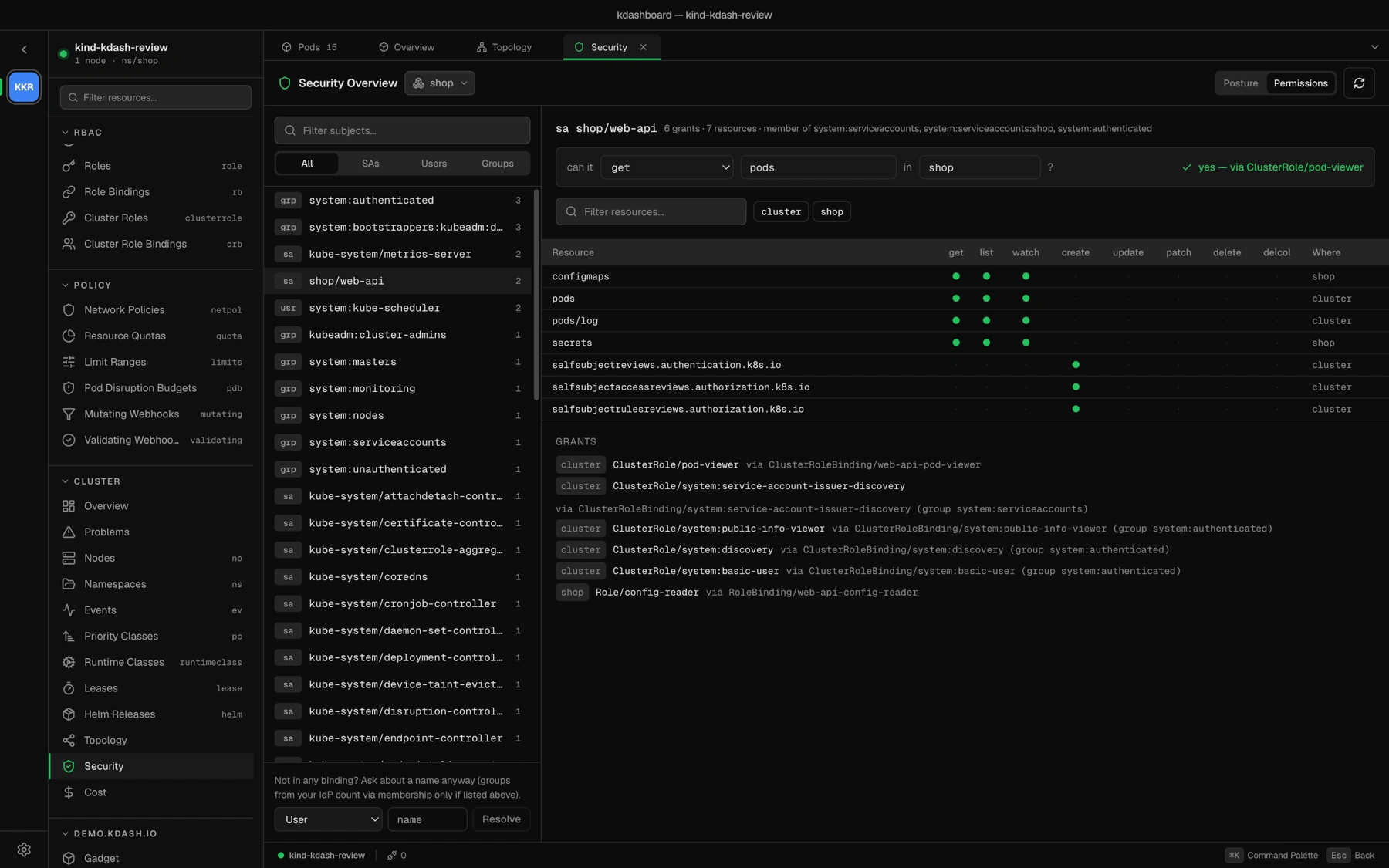
RBAC explorer · can this subject get pods in shop? Every Role, ClusterRole and group
Operate
Keep the bill and the releases in the same window.
Enlarge
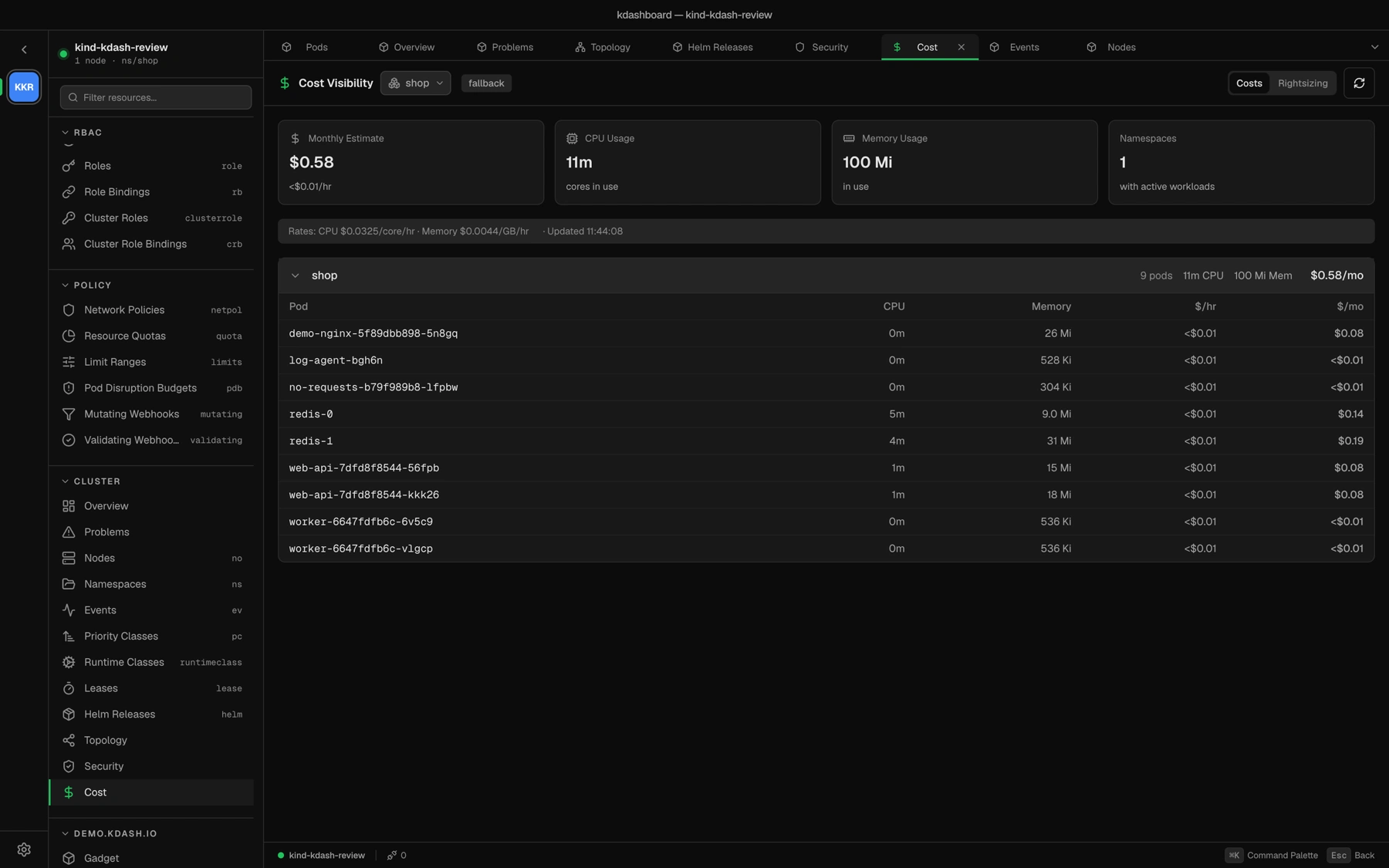
Cost · per namespace and per pod, from a scheduled pricing dataset
Enlarge
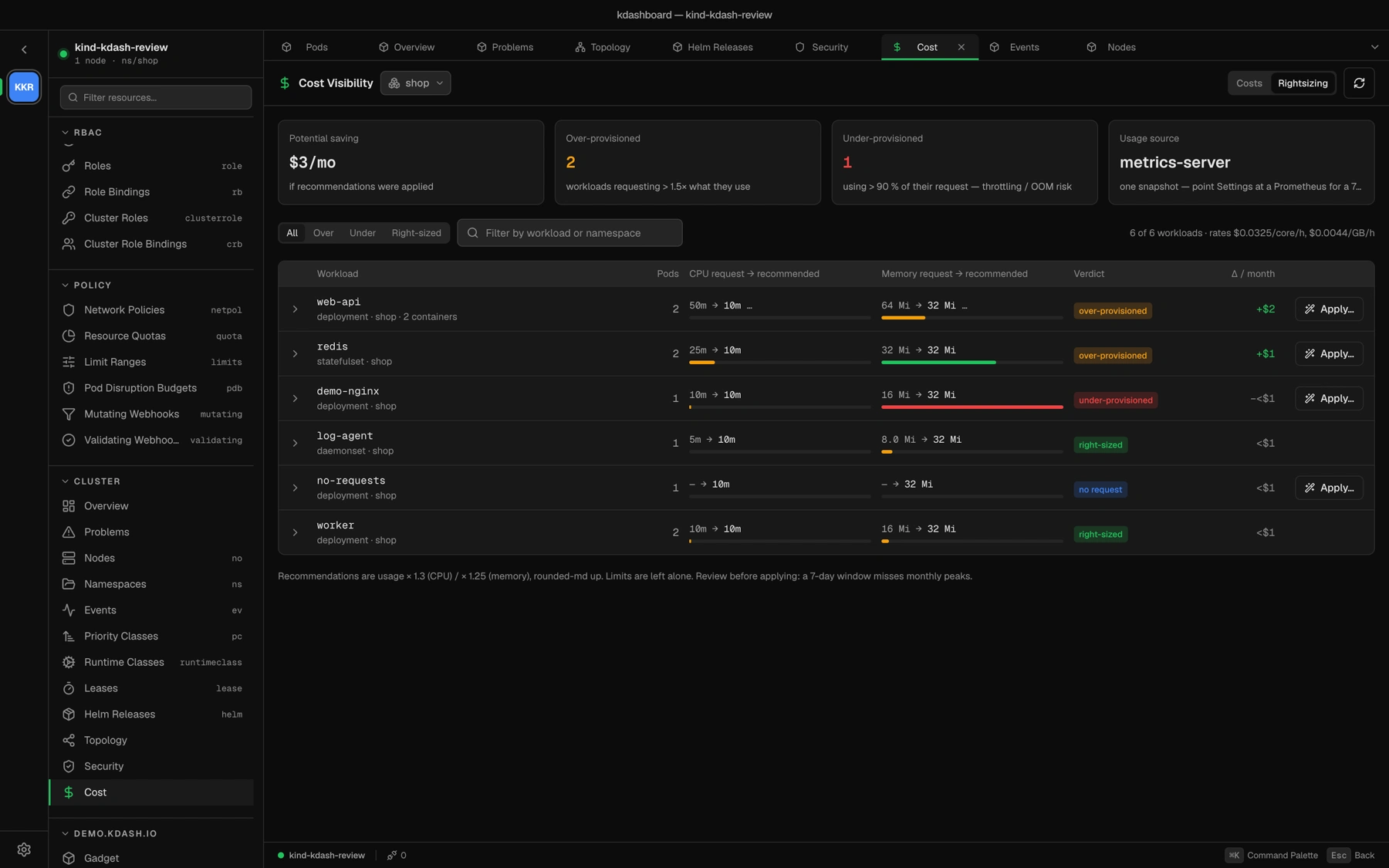
Rightsizing · request recommendations with an Apply that writes the patch
Enlarge
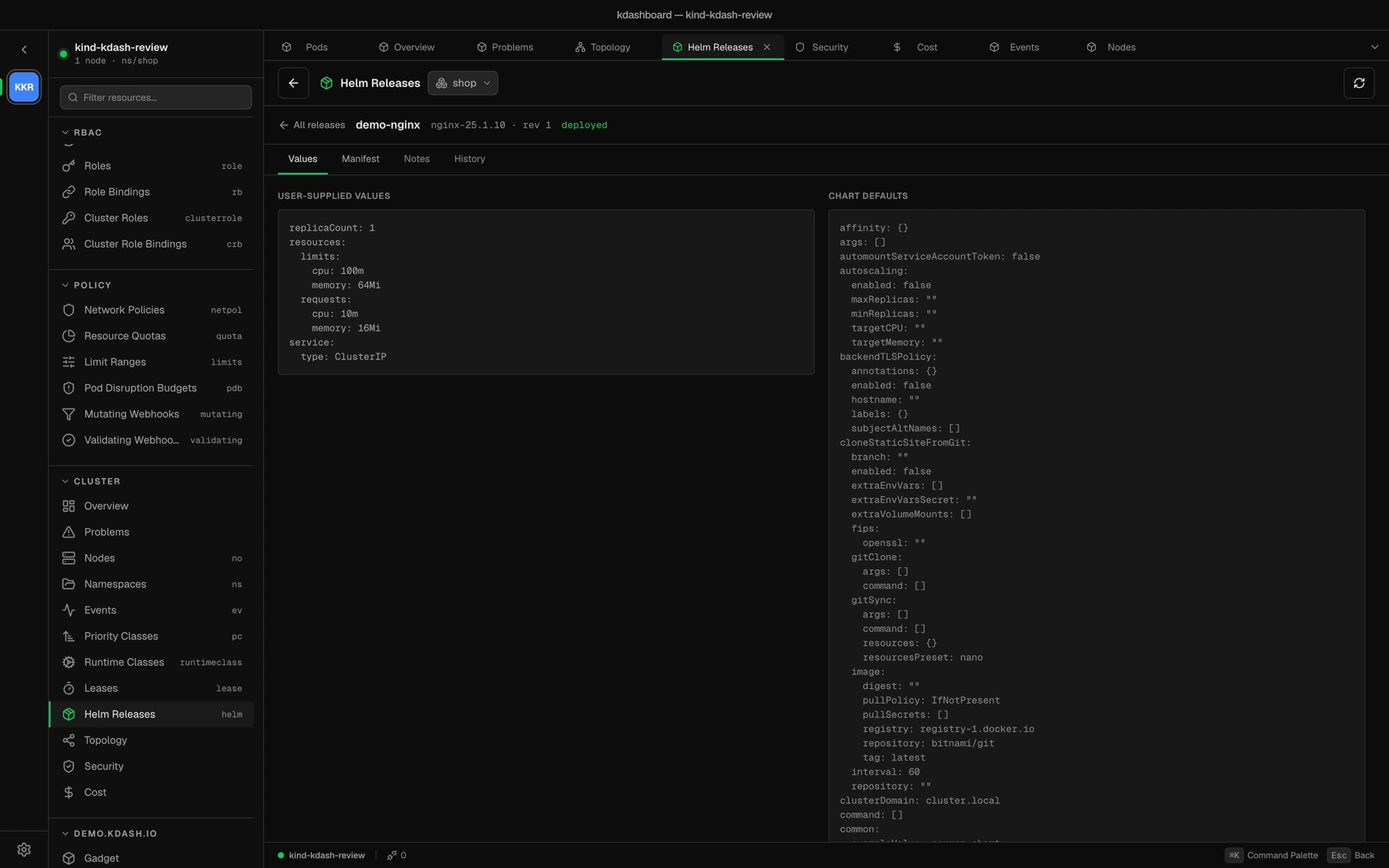
Helm · values, manifest, notes and history, with no helm binary
Eleven themes, light and dark.kdashboard, Gruvbox, Solarized, Everforest, Dracula, Monokai, Rose Pine Dawn, GitHub Light.